
Last reviewed 16 November 2026 · AnyROR screens checked live on 16 November 2026
Buying a plot in Dholera? Start with the land record
Imagine you have shortlisted a plot in Dholera. The location looks right, the price fits your budget, and the seller has sent you a layout plan.
Before you pay anything, one question matters more than the brochure: what do the government land records say about this land?
You can check that yourself, for free, on AnyROR, the Gujarat Revenue Department’s land-record portal. You don’t need to be a property expert. This guide walks through the real AnyROR screens using a Dholera example, explains what each record means, and shows what deserves a closer look.
One thing to keep in mind from the start: AnyROR is a useful first step, not a complete legal verification. For the full buyer checklist (TP scheme, zone, eligibility and title), see our Dholera land verification guide. This page is the hands-on AnyROR tutorial.
Quick steps
- Open anyror.gujarat.gov.in and click View Land Record – Rural.
- Under Select Any One, choose VF-7 SURVEY NO DETAILS (this is the 7/12).
- Pick District અમદાવાદ (Ahmedabad), Taluka ધોલેરા (Dholera), then your village. Villages show in Gujarati with a code, so look for the code (Dholera village is 056).
- Pick the Survey/Block Number from the list.
- Type the captcha and click Get Record Detail.
- Repeat with VF-8A KHATA DETAILS (the owner’s full holding) and VF-6 ENTRY DETAILS (the change history).
Viewing is free. For a copy a bank or registrar will accept, get a digitally signed copy (see below).
What you’ll need before you start
Ask the seller for these in writing, before any token money changes hands:
- Village name (and taluka and district)
- Survey or block number, exactly as written on their papers. One digit, or one sub-division, wrong is a different piece of land.
- Khata number
- The names of everyone shown as owner, not only the person you are dealing with
If you only have an owner’s name, AnyROR has a Know Khata by Owner Name option (more on that below).
Step by step, with the live screens
Step 1: Open the rural land record page
Go to anyror.gujarat.gov.in. A farmer-registration banner may pop up first; close it with the red ✕. Then click VIEW LAND RECORD – RURAL in the top menu. Most Dholera land, inside and outside the SIR, is rural land, so this is the right section.

The rural page carries two notices worth reading. The first, in Gujarati, says that apart from anyror.gujarat.gov.in the Revenue Department has no other website or mobile app for viewing land records. The second says the information online is updated and that you can visit the respective office for more. So if someone sends you a “7/12” from an unknown app or site, pull the record again yourself from AnyROR.
Step 2: Choose the record type, then district, taluka and village

Record type (2). Choose VF-7 SURVEY NO DETAILS (ગા.ન. ૭ ની વિગતો). On today’s portal the current record is labelled VF-7; the older scanned copies appear separately as “OLD SCANNED VF-7/12 DETAILS”. Most people still call the record a “7/12” or “satbara”, so you’ll see both names.
District, taluka, village (3). The dropdowns are in Gujarati script:
- District: અમદાવાદ (Ahmedabad)
- Taluka: ધોલેરા (Dholera)
- Village: each name is followed by its AnyROR code, which is the easiest way to find it if you don’t read Gujarati
All 22 Dholera SIR villages are listed under Dholera taluka. Here they are as the dropdown shows them (checked live, 16 November 2026):
| Village | Shown in the dropdown | Code |
|---|---|---|
| Sodhi | સોઢી | 013 |
| Hebatpur | હેબતપુર | 023 |
| Sangasar | સાંગાસર | 028 |
| Ambli | આંબલી | 048 |
| Gogla | ગોગલા | 050 |
| Kadipur | કાદીપુર | 051 |
| Bhadiyad | ભડીયાદ | 052 |
| Cher | ચેર | 053 |
| Otariya | ઓતારીયા | 054 |
| Gorasu | ગોરાસુ | 055 |
| Dholera | ઘોલેરા | 056 |
| Khun | ખુણ | 057 |
| Bhimtalav | ભીમતળાવ | 058 |
| Rahtalav | રાહતળાવ | 059 |
| Mundi | મુંડી | 060 |
| Sandhida | સાંઢીડા | 061 |
| Panchi | પાંચી | 062 |
| Bhangadh | ભાણગઢ | 063 |
| Mahadevpura | મહાદેવપુરા | 064 |
| Mingalpur | મીંગલપુર | 065 |
| Zankhi | ઝાંખી | 066 |
| Bavliyari | બાવલીયારી | 068 |
The same taluka list also includes villages that are not in the SIR, such as Navagam (043), Pipli (042), Kasindra (046) and Kamatalav (049). Being in Dholera taluka does not put a village inside Dholera SIR; our SIR villages page lists which are in.
Older directories and Census 2011 data still show many of these villages under Dhandhuka taluka, and a few under Barwala (Botad district). That was before Dholera taluka was created. On AnyROR today, choose Dholera.
Step 3: Pick the survey or block number
Survey/Block Number (4) is a dropdown, not a typing box. Dholera village alone has more than a thousand entries. Sub-divided numbers are written partly in Gujarati digits, for example:
- 21/૧ means 21/1
- 60/p૧ means part 1 of survey number 60 (the “p” marks a part, often written paiki)
Match the seller’s number exactly, including the sub-division. If you can’t find it in the list, stop and ask why before going further.
Step 4: Captcha and Get Record Detail
Type the characters from the captcha image (5) and click Get Record Detail (6). If the image is hard to read, click Refresh Code. The record opens on screen. Save it with your browser’s Print → Save as PDF, and note the date you pulled it.
Step 5: Pull the 8A and the VF-6 entries
Go back to Select Any One and repeat the same district, taluka and village with:
- VF-8A KHATA DETAILS with the khata number. This lists every survey number held under that khata in the village.
- VF-6 ENTRY DETAILS with an entry number. Entry numbers are printed on the VF-7. Open the most recent ones, especially any that mention the seller.
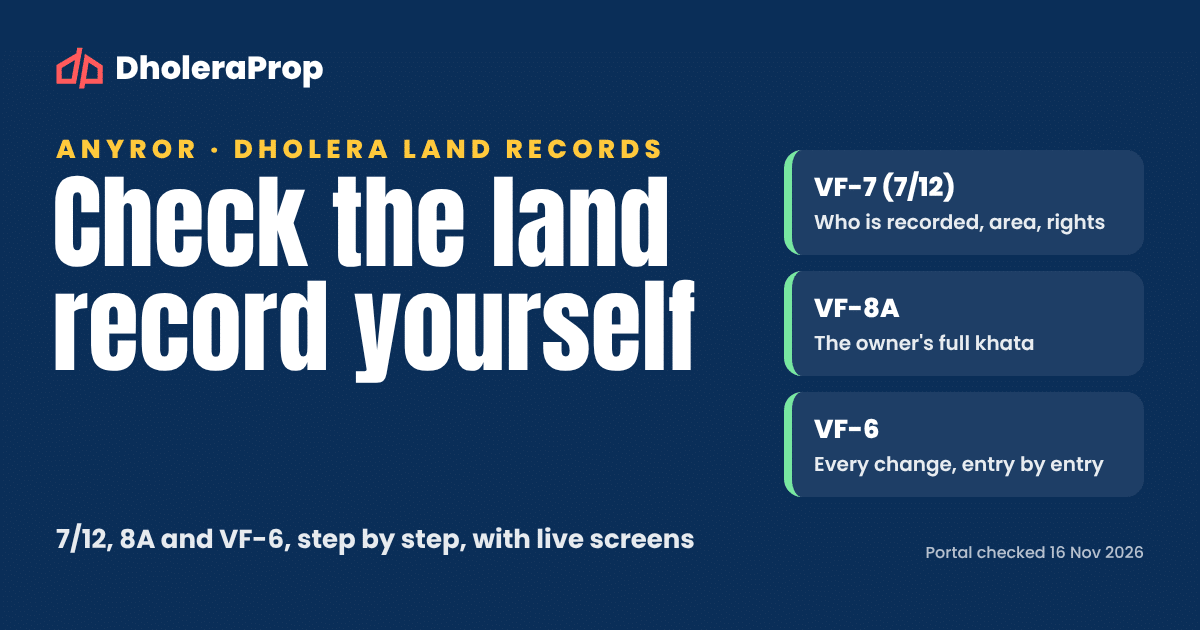
What do VF-7, VF-8A and VF-6 mean?
| Record | Common name | What it tells you |
|---|---|---|
| VF-7 | 7/12, satbara | One survey number: area, the landholders (khatedars) and their shares, tenure, and rights or liabilities recorded against the land |
| VF-8A | 8A, khata | One owner’s khata: every survey number held under it in that village |
| VF-6 | Entry (nondh, ferfar) register | Each recorded change: sale, inheritance, loan, conversion, and so on |
The full name “7/12” comes from two village forms printed together: Village Form 7 (rights) and Village Form 12 (crop details). For a land buyer, the VF-7 side is the one that matters.
The same Select Any One list has other options that help with specific questions:
| Option on AnyROR | Use it when |
|---|---|
| KNOW KHATA BY OWNER NAME | You have the owner’s name but not the khata number. It asks for district, taluka, village and the owner’s name; records are in Gujarati, so the name may need to match its Gujarati spelling. |
| 135-D NOTICE FOR MUTATION | You want to see whether a change to the record has been noticed but not yet finalised |
| OLD SCANNED VF-7/12 DETAILS / OLD SCANNED VF-6 ENTRY DETAILS | You want older, pre-computerisation history for the land |
| KNOW CLOSED SURVEY NO DETAIL | A survey number seems to have disappeared. This option covers survey numbers closed by a non-agricultural (NA) order. |
| NEW SURVEY NO FROM OLD FOR PROMULGATED VILLAGE | Your papers carry an old survey number and the village’s records have since been renumbered |
| REVENUE CASE DETAILS | You want to see whether a land-record case is listed |
| KNOW OWNER DETAILS IN OTHER LANGUAGE | You want owner details in a language other than Gujarati |
How to read a Dholera land record
Read the VF-7, 8A and VF-6 side by side. For each point below, a match is reassuring, but it isn’t proof on its own.
- Names. Every landholder named on the VF-7 should be the person selling to you, or have given written consent or a power of attorney. Note each person’s share. A name on the record is not, by itself, proof of a clear, marketable title; that takes a lawyer’s title search.
- Area. The VF-7 records the survey number’s area, and may show an uncultivable portion (pot kharab) separately. Don’t treat “total area minus pot kharab” as the land you can build on. The agricultural area, the area that planning rules let you develop, and the area of a single plot in a layout can all be different numbers. Ask which one your price is based on.
- Rights and liabilities (boja / encumbrance). Loans and charges recorded against the land appear here, often with a bank’s name. An entry needs a written explanation. An empty column is a good sign, but it doesn’t guarantee the land is free of every mortgage or claim; registered documents and a lawyer’s search are still needed.
- Tenure. Look at the tenure noted on the record. Land on new or restricted tenure comes with conditions on transfer and use; Gujarat’s iORA portal handles applications to pay the premium and convert it.
- Recent entries. Read the latest VF-6 entries and check the 135-D option. A pending change isn’t automatically a problem, but you need to know what it is.
- 8A match. The survey number you’re buying should appear in the seller’s 8A. If it doesn’t, there can be several reasons: a transfer, a different khata, or a record that hasn’t been updated yet. Find out which, in writing.
- NA status. If the seller says the land is NA (non-agricultural), a matching VF-6 entry is one indicator. Also ask for the NA order itself, and read its conditions and permitted use. If the survey number seems missing, check Know Closed Survey No Detail.
Why your plot number may not appear on AnyROR
This is the most common confusion for Dholera buyers.
Say a project shows you Plot No. 25 on its layout. You open AnyROR and there’s no “Plot 25” anywhere. Instead you see one large survey number, often with many names or a single owner. That doesn’t automatically mean the papers are wrong. It usually means you’re looking at two different numbering systems.
Outside the SIR (private layouts). A layout’s plot numbers are the developer’s own. The revenue record shows the survey or block number of the whole parcel the layout sits on. So the VF-7 tells you about the parcel, not about your individual plot’s boundaries or approval. To connect the two, match:
- the survey number(s) on the approved layout plan,
- the plot description in your agreement and sale deed (survey number, plot number, area and boundaries),
- the NA order and its conditions for that survey number.
Inside the SIR (TP schemes). Here, DSIRDA’s town planning (TP) schemes redraw old survey numbers into Final Plots (FP). Where the sub-scheme has reached Preliminary stage, the FP appears on the 7/12 against a new survey number, which is your confirmation. Where it’s still at Draft stage, you read the FP off the TP scheme map against the old survey number, so ask for the map extract that shows it. Dholera SIR has 6 TP schemes split into 27 sub-schemes: 13 at Preliminary stage and 14 at Draft stage. Our TP schemes guide explains each one.
Getting a digitally signed copy, and checking one
The free on-screen record is for information. Banks and sub-registrars generally want a digitally signed copy. The Revenue Department’s own procedure (Digital RoR SOP, AnyROR) works like this:
- On AnyROR (or i-ORA), click Digitally Signed RoR.
- Enter your mobile number and the captcha, click Generate OTP, enter the OTP and Login.
- Choose the village form you need, with district, taluka, village and survey/block, khata or entry number, then click Add Village Form. Add as many as you need.
- Check the list, click Proceed for Payment, then Pay Amount. Payment is online only.
- Click Download RoR. If it isn’t ready, click Generate RoR. Once generated, it stays available in your login for 24 hours, so download it straight away.
The SOP says the digitally signed form is a copy recognised by the state government. Anyone can check one: scan its QR code, or type the unique number printed under the QR code at anyror.gujarat.gov.in/rorverify.aspx. If a seller sends you a “signed copy”, verify it there.

You can also get a computerised copy in person at the e-Dhara centre in the taluka (mamlatdar) office.
Five red flags before you pay a token
None of these means the deal is bad. Each means: stop, and get an answer in writing.
- The seller isn’t on the VF-7, and no co-owner consent or power of attorney is shown.
- The survey number on the brochure or agreement doesn’t match AnyROR, or you can’t find it in the list.
- An unexplained entry in the rights/liabilities column, a listed revenue case, or an open 135-D notice.
- “NA plot”, but nobody can show you the NA order.
- The plot is sold as “inside Dholera SIR”, but the village isn’t one of the 22 SIR villages.
And one habit: if a seller only offers a screenshot and discourages you from pulling the record yourself, pull it yourself anyway.
What AnyROR cannot tell you
- Planning status. Whether the land is inside the SIR, which TP scheme and zone covers it, and what you may build. Use the DSIRDA TP maps and our TP schemes guide.
- Your Final Plot at Draft stage. That comes from the TP scheme map, not the revenue record.
- Layout and NA details. Whether a private layout is approved, and the conditions in an NA order, are separate documents.
- Title. A revenue record shows who is recorded and what entries exist. A lawyer’s title search across past entries and registered documents is still the standard check.
- The ground. Boundaries and possession on site need a physical visit or a survey.
Online records can also lag behind a recent registration, so pull the record again just before you pay and again before registration.
Common questions
Is AnyROR free?
Viewing VF-7, 8A and VF-6 on AnyROR is free. A digitally signed copy is paid for online during the request.
I don’t read Gujarati. Can I still use AnyROR?
Yes. Choose District અમદાવાદ and Taluka ધોલેરા, then find your village by its code from the table above. The record itself is in Gujarati, so ask your lawyer or a trusted Gujarati reader to go through it with you. The “Know Owner Details in Other Language” option can also help.
My plot number doesn’t show on AnyROR. Is something wrong?
Not necessarily. Layout plot numbers and Final Plot numbers are different from revenue survey numbers. See “Why your plot number may not appear” above, and match the layout, the agreement and the record.
Which taluka are the Dholera SIR villages in on AnyROR?
All 22 are under District Ahmedabad, Taluka Dholera. Older papers may show Dhandhuka or Barwala.
Can I find a khata from the owner’s name?
Yes, with “Know Khata by Owner Name”. Then open the 8A for that khata to see the survey numbers under it.
Does the 7/12 prove clear title?
No. It’s a revenue record. Use it with a lawyer’s title search, the TP scheme map (inside the SIR), and the NA and layout documents (outside the SIR).
How do I check a “signed 7/12” someone sent me?
Scan its QR code or enter the number printed under it at anyror.gujarat.gov.in/rorverify.aspx.
Sources and next steps
- AnyROR, Revenue Department, Government of Gujarat: rural land record page, record-type list and village dropdown, checked live by DholeraProp on 16 November 2026 (anyror.gujarat.gov.in)
- Revenue Department, “AnyRoR/i-ORA portal maarfat online digitally signed gaam namuna melavva maateni karyapaddhati” (Digital RoR SOP) (PDF)
- AnyROR, Verify Digitally Signed RoR (rorverify)
- i-ORA, Revenue Department, Government of Gujarat (iora.gujarat.gov.in)
- Bhatt & Joshi Associates, “How to Read a 7/12 Utara: Every Column Explained” (link)
Next: the full pre-purchase checklist is in our Dholera land verification guide, and the inside-versus-outside rules are in Inside vs Outside Dholera SIR.
Plot final karne se pehle, ek second opinion. Send us the survey number and village on WhatsApp: 93284 34849.
Reviewed by Vishal Shrivastav, Founder, DholeraProp · Last reviewed November 2026
